
File:Psion Series 7 - where things are (front).png

Summary
edit.png&action=edit§ion=1)
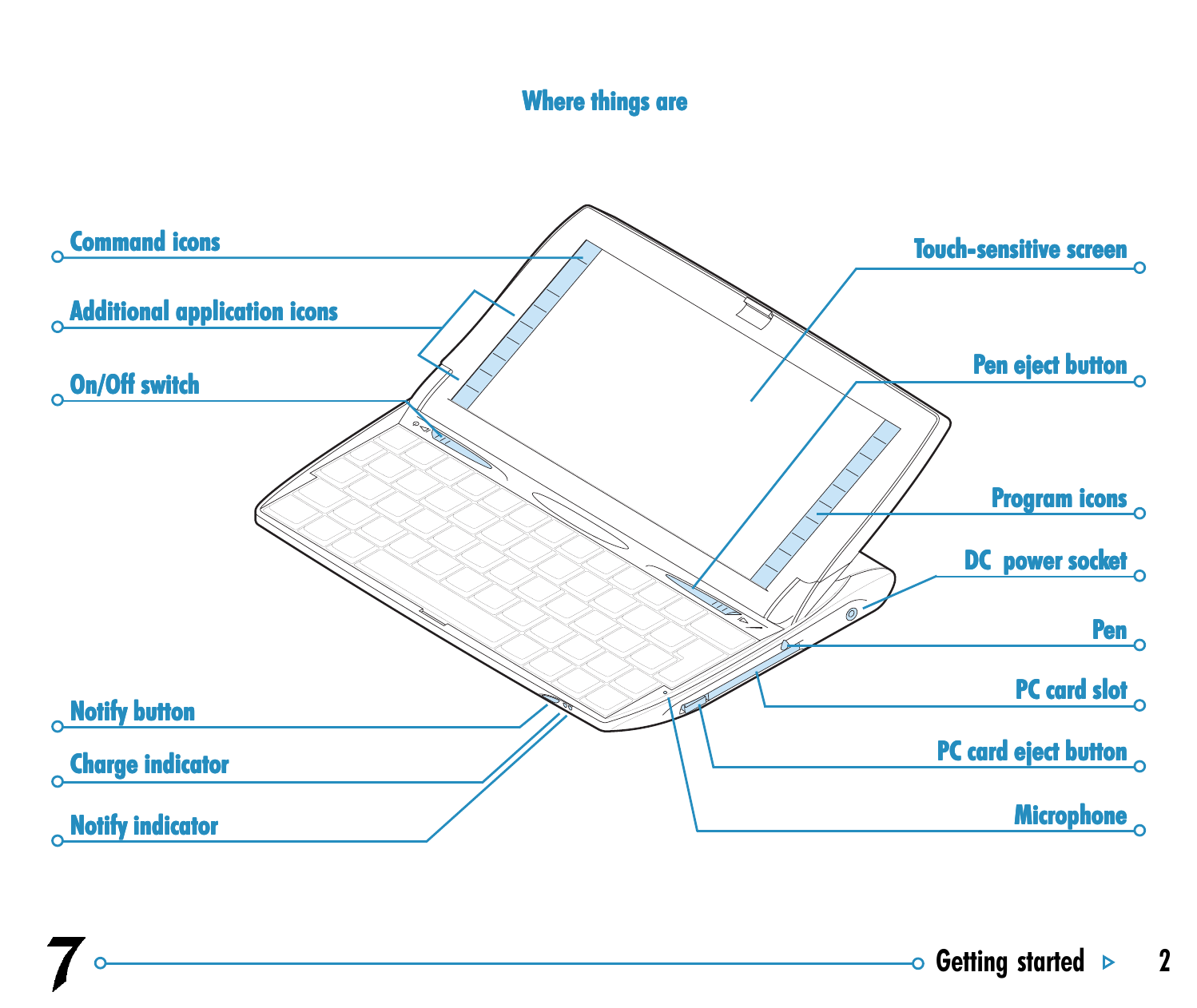
Psion's own labelled diagram of the Psion Series 7, open. Identifies the command icons and additional application icons down the left of the screen, the program icons down the right, the touch-sensitive screen, the pen and its eject button, the on/off switch, the DC power socket, the PC Card slot and its eject button, the microphone, the Notify button, and the charge and Notify indicators.
The microphone position is worth noting: it is the small hole to the right and front of the keyboard, which is routinely mistaken for a reset hole. The reset button is elsewhere — see File:Psion Series 7 - where things are (underside).png.
.png)
The netBook is the same machine and carries the same layout.
Licensing
edit.png&action=edit§ion=2)
Author: Psion Computers Plc, 1999
Licence: Manufacturer material, reproduced here for identification and repair reference. Copyright remains with the rights holder.
Source: Psion Computers Plc, Psion Series 7 User Guide, version 1.0, August 1999, page 2 — hosted at Psion Series 7 User Guide
File history
Click on a date/time to view the file as it appeared at that time.
| Date/Time | Thumbnail | Dimensions | User | Comment | |
|---|---|---|---|---|---|
| current | 16:52, 9 September 2026 | | 1,498 × 1,262 (192 KB) | Josh (talk | contribs) | Upload manufacturer diagram/photograph for the Series 7, netBook and netBook Pro pages |
You cannot overwrite this file.
File usage
The following 2 pages use this file:
.png&oldid=11843)